Ferment Library
Browse. Blend. Play.A visual preset browser for exploring factory presets, your saved sounds, community patches and curated store packs. Spider chart previews and one-click loading, all within the plugin.
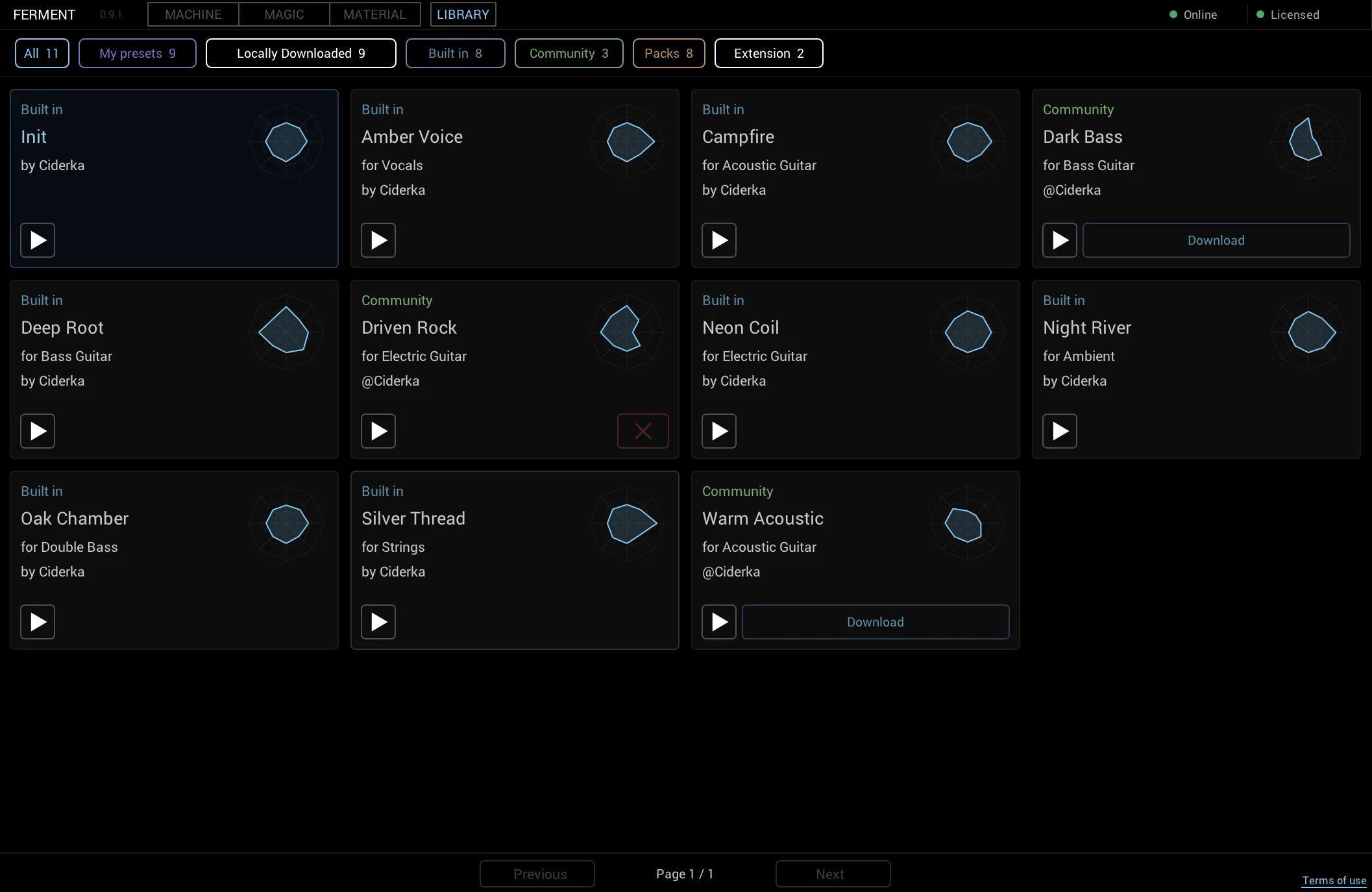
Preset browser
A unified preset library in the plugin
📚 Library is the preset browser panel inside Ferment. Browse all your presets — factory starting points, your personal saves, patches shared by the community and curated packs from the store — in a single organized grid.
Every preset card displays a spider chart that visualizes the sonic character across eight axes: warmth, brightness, density, depth, texture, movement and harmonic complexity. This visual preview lets you find the right sound at a glance.
☁️ Cloud sync — Save and load presets across all your devices.
- 4×4 paginated grid — Browse presets in organized pages
- Spider chart previews — Instant visual sonic fingerprint of each preset
- Category filtering — Filter by instrument, genre, or preset type
- One-click loading — Load any preset into Machine instantly
- Download community patches — Try shared presets from other users
- In-app store packs — Purchase and download curated preset collections
Four sources
Where your presets come from
Factory
8 built-in starting points. Clean, neutral templates for any instrument.
User
Your personal saved presets. Unlimited saves with a purchased license.
Community
Presets shared by other Ferment users. Download and explore.
Store Packs
Curated preset collections for specific instruments and genres.
How it works
Browse, filter and blend
The Library panel opens as a modal overlay in Ferment. Use the filter bar to refine by category, search by name, or browse the full 4×4 grid of preset cards.
Each card shows the preset name, type (Factory, User, Community or Store Pack) and a compact spider chart. Click a preset to load it instantly into Machine. The chart updates in real-time as you change parameters.
Store packs are available for direct purchase within the plugin via Paddle's secure checkout. No need to leave the plugin to explore new sounds.
Ready to explore?
Preset packs
Curated sounds for your instrument
Explore preset packs
Download curated collections of presets tailored to specific instruments and genres. Each pack is designed by sound designers using Ferment's full 92-parameter toolkit, with spider charts optimized for your setup.
Purchase packs directly in the plugin without leaving your session. All packs are available on the Ferment Store and can be browsed and bought inside the Library panel.