Ferment
Shape your sound🎶 An expressive sound exploration plugin for live performance and sound design. 92 parameters, AI-powered presets and instrument profiling. VST3, AU, CLAP.
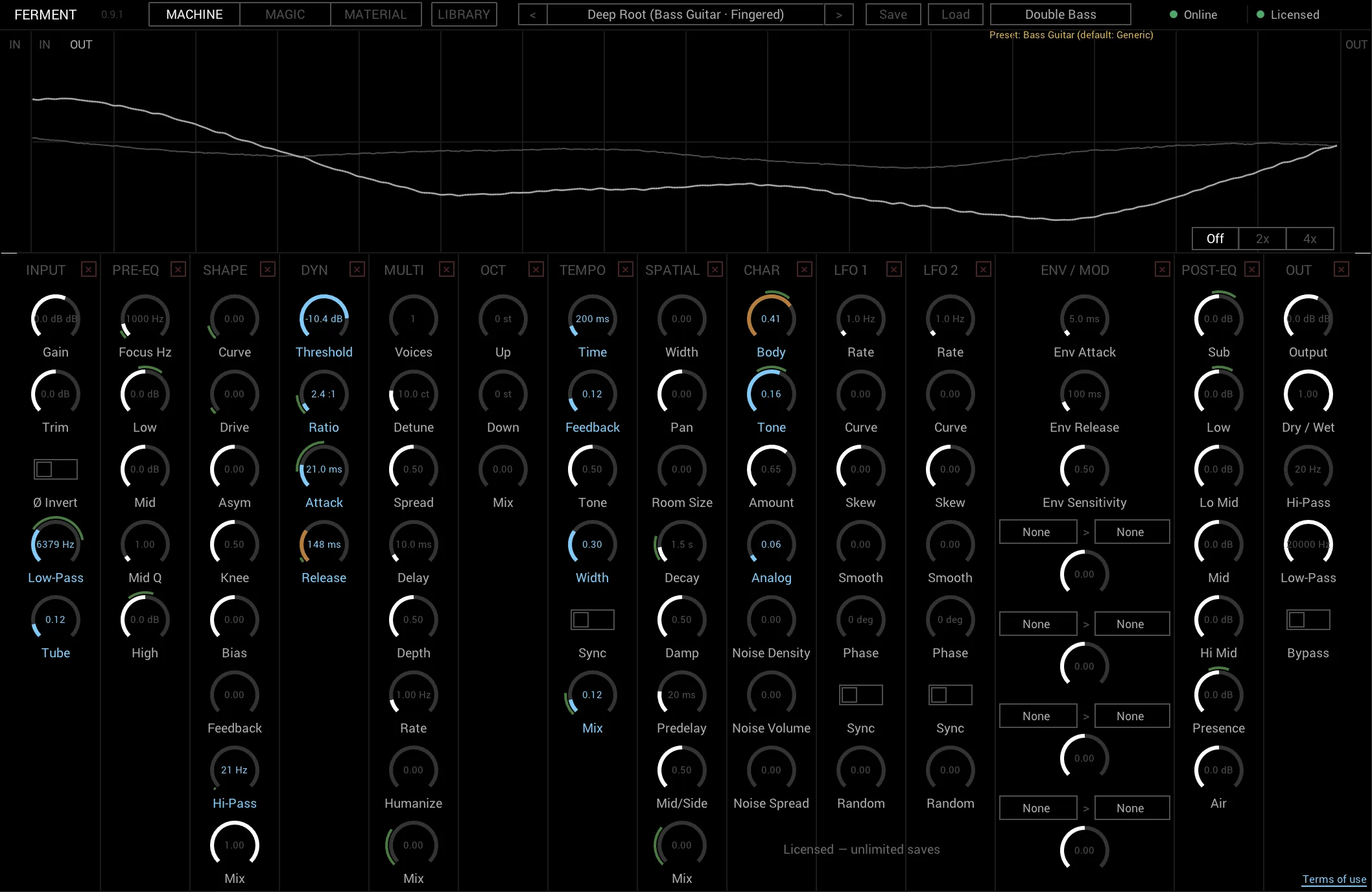
92 parameters across 14 processing modules
The concept
A sound exploration engine not just effects
Most effects plugins give you knobs. Ferment gives you a vocabulary. Profile your instrument, describe the sound you hear in your head, then sculpt it with 92 parameters across 14 processing modules.
The workflow is simple: record your instrument in Material, describe a sound in Magic, refine in Machine, save and browse in Library. The result is a preset built around your instrument, not a generic one.
Four modules one instrument
🎛 Machine
92 parameters across 14 processing modules. Dynamics, tone shaping, modulation, space design and harmonic processing with zero compromises.
✨ Magic
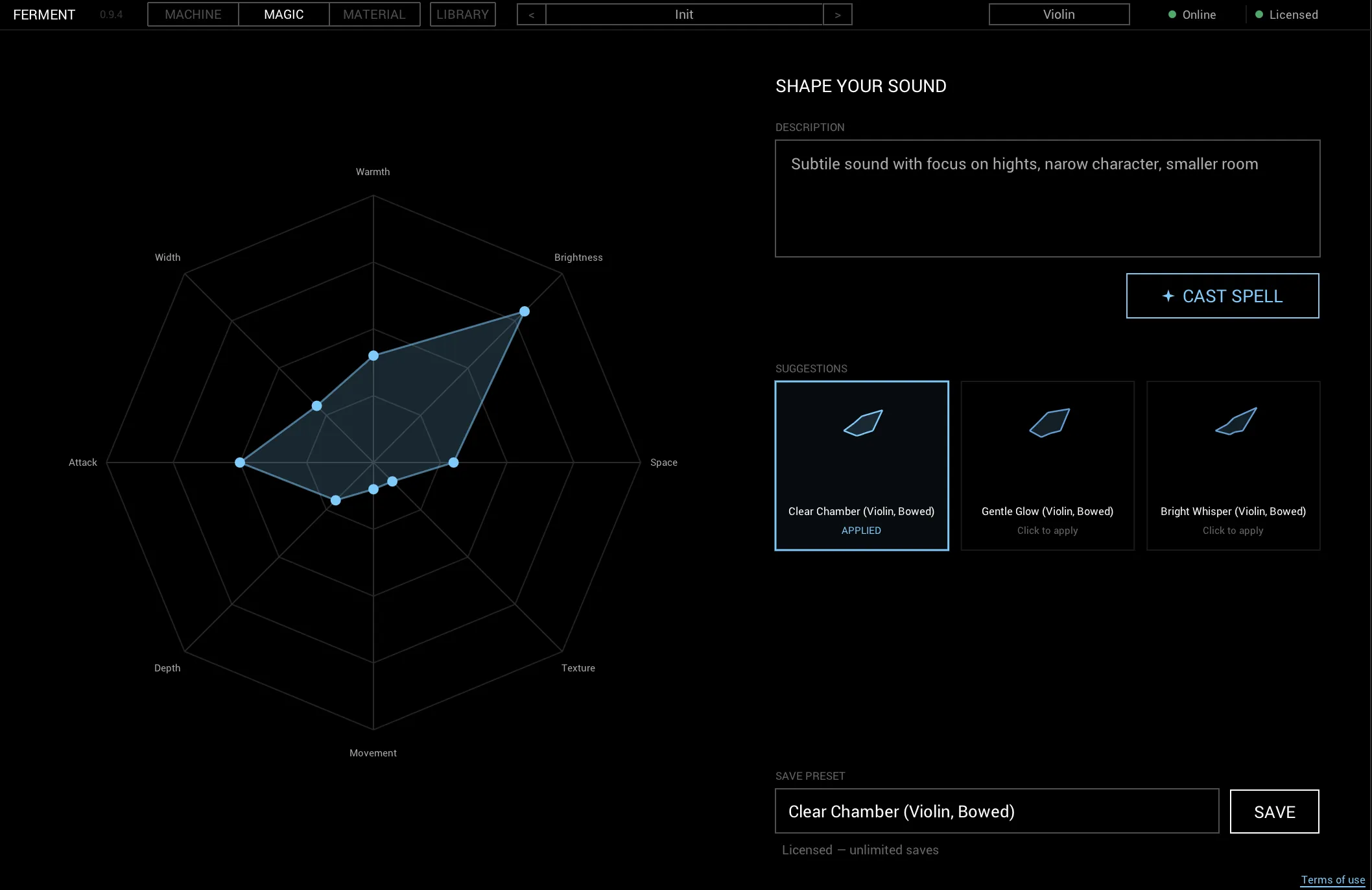
Describe a sound in words or shape it on 8 intuitive scales. AI configures Machine automatically, turning intention into a preset.
🎻 Material
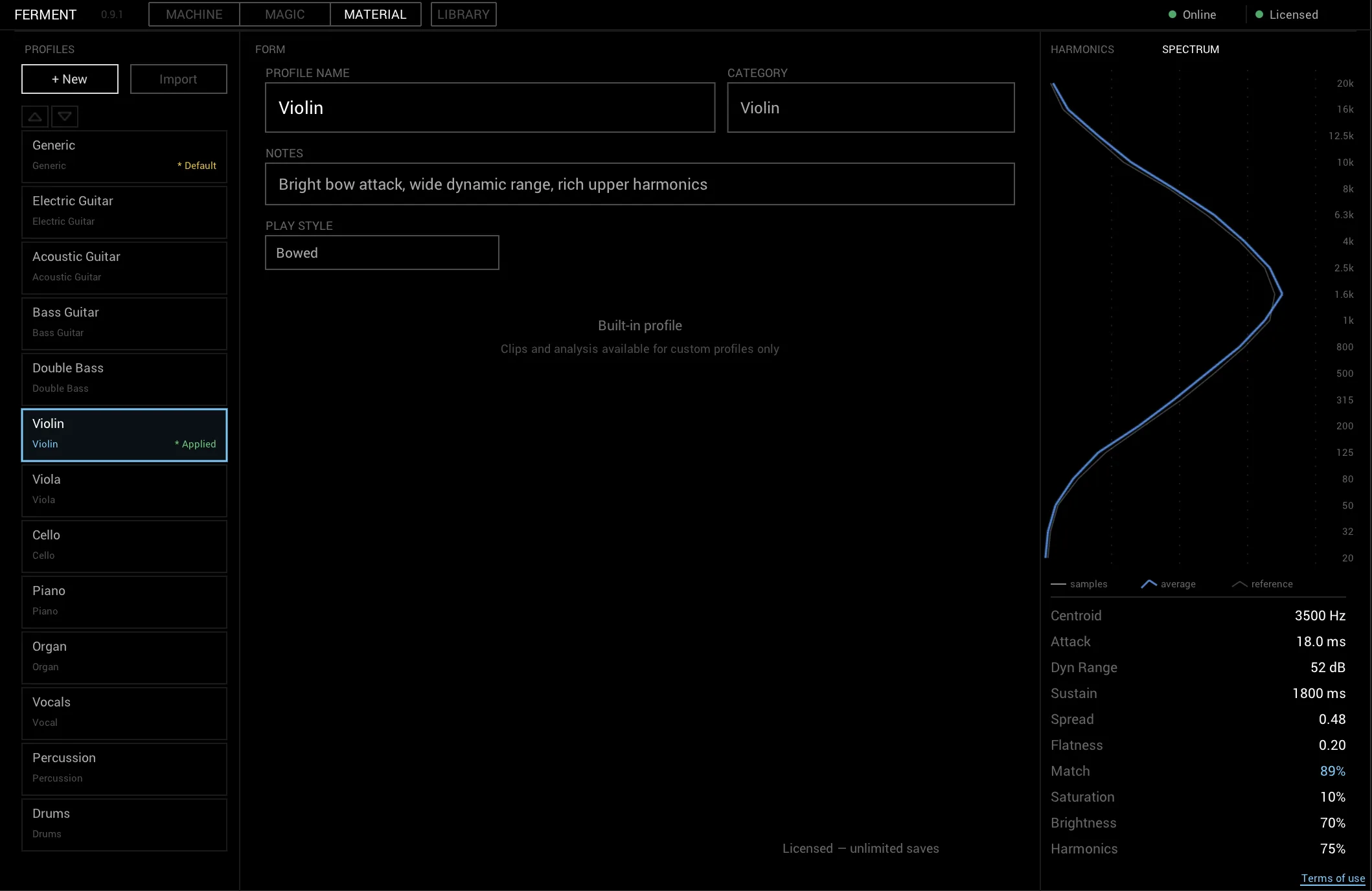
Record your instrument, Ferment analyzes its sonic fingerprint. Presets and parameters adapt to your setup, not the other way around.
📚 Library
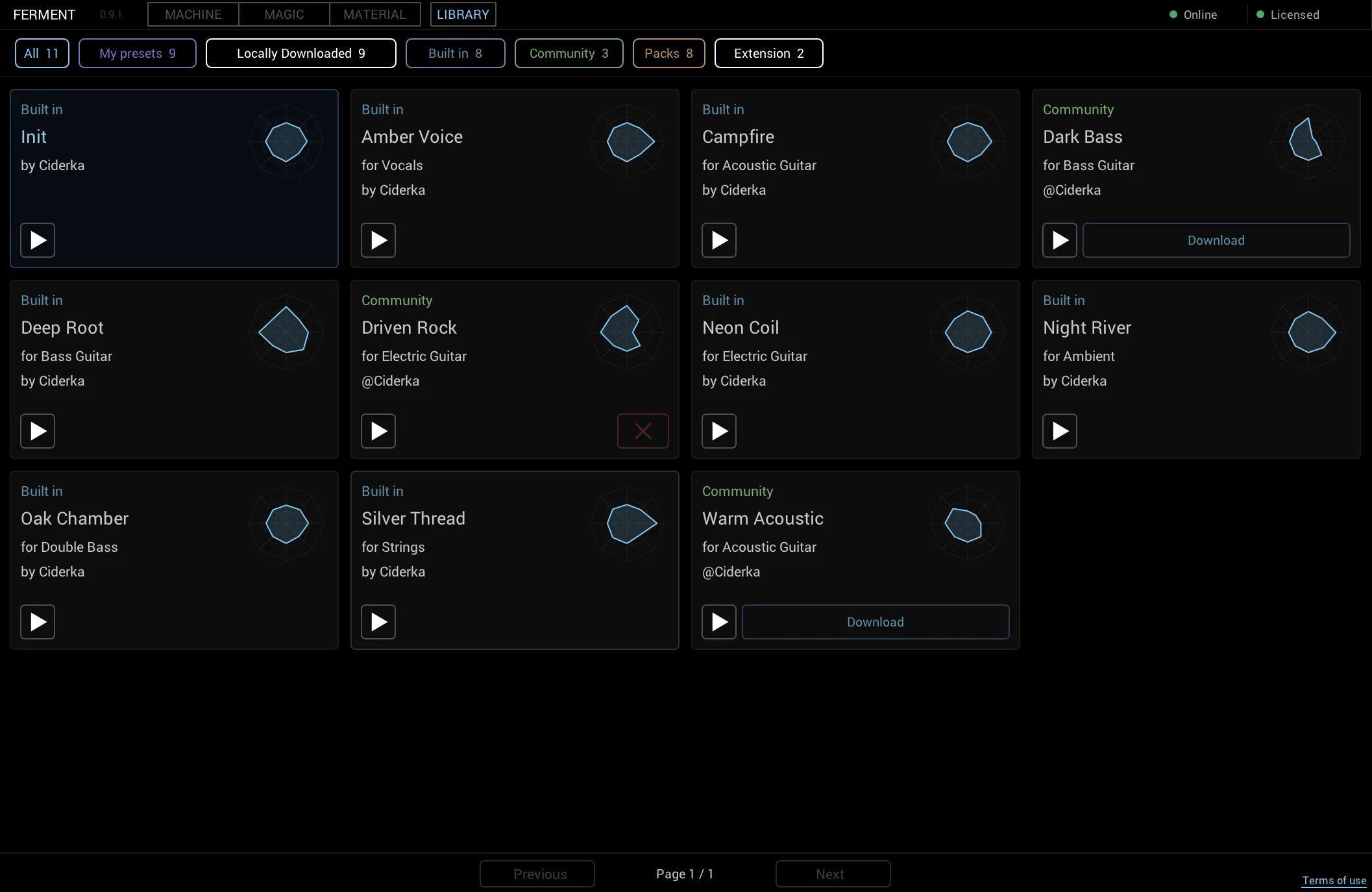
Browse factory, user and store presets in a visual card grid. Spider chart previews, one-click loading and in-app preset packs.
Built for
An effects plugin for every instrument
🎻 Classical musician going electric
Violin, cello, double bass — finally an effects plugin that understands bow dynamics and acoustic resonance.
🎸 Guitarist beyond pedals
When stompboxes hit their ceiling. 92 parameters of depth, expression control and real-time morphing.
🎹 Sound designer seeking the unexpected
AI-generated presets, harmonic profiling and 14 processing modules for textures no preset library has.
🎤 Live performer who needs expression
Performance-first design. Morph between presets live, map any parameter, zero-latency processing.
Specifications
Technical details
Formats
VST3 · AU · CLAP
Platforms
macOS 10.15+ · Windows 10+
Parameters
92 across 14 modules
Factory presets
8 starting points
AI engine
Magic mode (Gemini Flash)
Expression
BLEND controller (optional)
Price
€29 one-time purchase
Trial
Free — 3 saves, all features
Download
✨ Get Ferment
Ferment v0.9.5 — Free trial with all features, 3 saves. No account needed.
⚠️ Your browser may show a security warning — this is normal for new sites distributing plugins. Click "Keep" or "Download anyway" to proceed.
🍎
macOS
Intel + Apple Silicon
macOS 10.15+
🪟
Windows
64-bit
Windows 10+
VST3 · AU · CLAP — Universal Binary
Setup
Installation
Unzip the downloaded archive and move the plugin file to the correct folder for your system. Then restart your DAW or rescan plugins — Ferment appears under Ciderka.
🍎 macOS
| VST3 | ~/Library/Audio/Plug-Ins/VST3/ |
| AU | ~/Library/Audio/Plug-Ins/Components/ |
| CLAP | ~/Library/Audio/Plug-Ins/CLAP/ |
Tip: Press Cmd+Shift+G in Finder and paste the path.
🪟 Windows
| VST3 | C:\Program Files\Common Files\VST3\ |
| CLAP | C:\Program Files\Common Files\CLAP\ |
AU is macOS only. Windows users should use VST3 or CLAP.
Need help? See the full installation guide in our documentation.
FAQ